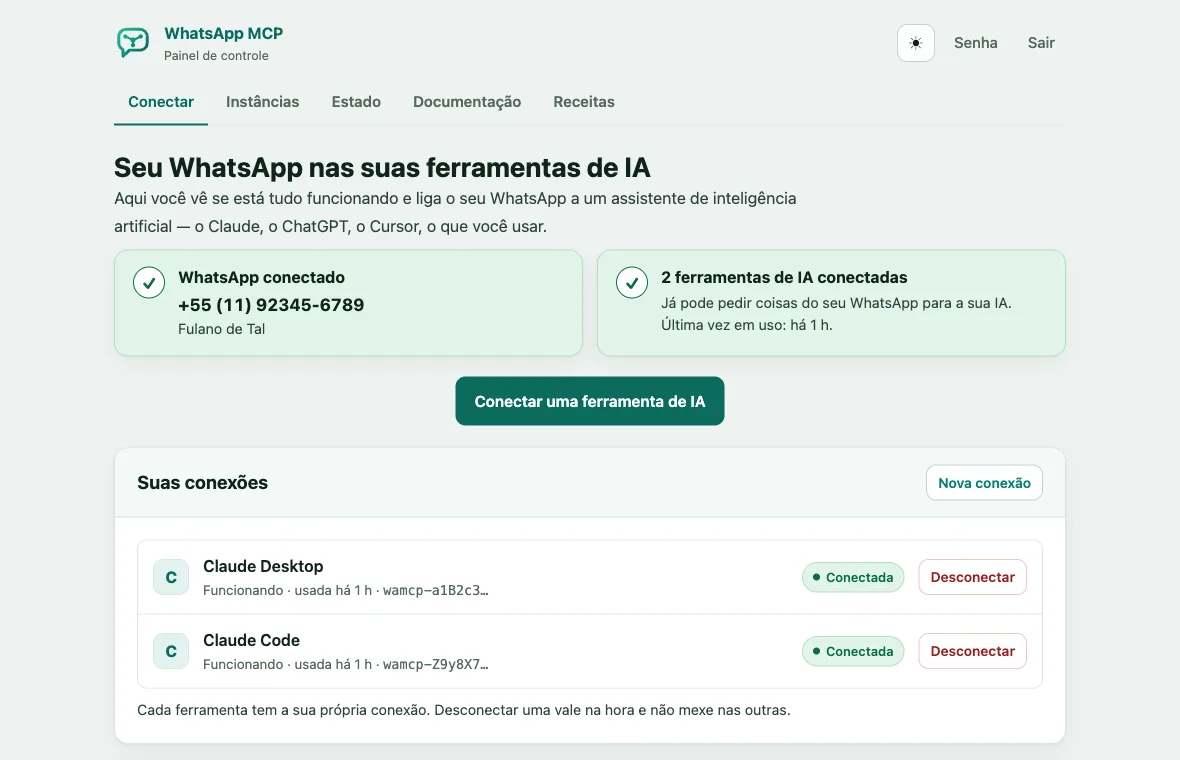
What changes with a server
Instead of your computer, a machine in the cloud that stays on all the time and runs by itself, without the app. It talks to WhatsApp through the Evolution API.
Always on
Messages arrive even with your computer off, and your AI can read and reply at any time.
On claude.ai and on your phone
The server has an address on the internet, protected by a key, that claude.ai, the mobile app and other MCP tools can reach.
A panel that walks you through it
You create your login, connect WhatsApp with the QR code and get the configuration ready to paste into your AI tool.
24 tools
Read, search and summarize chats; send text, media, locations and polls; react, edit, delete and archive; transcribe voice messages with your OpenAI key.
How to install
Three steps. You don’t need to know Docker or the command line.
-
Rent a server
A virtual machine (VPS) from a cloud provider, for around US$7 to US$25 a month. Ask for one like this:
- System
- Ubuntu 24.04 LTS
- Processor
- 1 or 2 vCPU
- Memory
- 2 GB of RAM (1 GB works too)
- Disk
- 40 GB SSD or more
- Ports
- 80 and 443 open
Pick a region close to you: your messages are stored on that disk. Some options: Hostinger and AWS Lightsail in São Paulo, Magalu Cloud in Brazil, Vultr and Hetzner. On AWS, the AWS guide shows every step.
-
Run one command on the server
Open the machine’s terminal (almost every provider has a console button on its own website) and paste:
curl -fsSL https://raw.githubusercontent.com/BrOrlandi/whatsapp-mcp/main/install.sh | sudo bash
It installs Docker, generates the passwords, creates an internet address with a security certificate and starts everything. It takes a few minutes and ends by showing a link.
-
Open the link and follow the wizard
- Create your login, with an email and a password.
- Give the account a name and scan the QR code with your phone.
- Choose your AI tool and copy the configuration, already filled in with your address and your key.
Rather not do it alone? The repository has a prompt that walks you through the whole installation with Claude, from renting the server to having WhatsApp connected.
Keeping it up to date
The panel shows the version that’s running and tells you when a new one is out. To update, run this on the server:
curl -fsSL https://raw.githubusercontent.com/BrOrlandi/whatsapp-mcp/main/update.sh | sudo bash
It backs up the database before anything else and keeps the passwords, the address, the pairing and the messages.
Rather not run a server?
WhatsApp MCP Local is an app for macOS, Windows and Linux that runs on your computer. There’s no server to look after and no monthly fee; in exchange, it only receives messages while the computer is on.
Before you install
Use it at your own risk
WhatsApp has no official API for personal accounts. The server uses Evolution Go, an unofficial client, and the account may be disconnected, restricted or banned. Start with a number you can afford to lose.
You keep other people’s conversations
The text of the messages stays in the server’s database, unencrypted, and a backup is as sensitive as the phone it came from. Follow WhatsApp’s terms and the data protection laws that apply to you, such as Brazil’s LGPD.
Messages are data, not orders
What’s in the chats is written by other people. The tools hand that text to the AI as data: a message that says "forward this" doesn’t become a request.